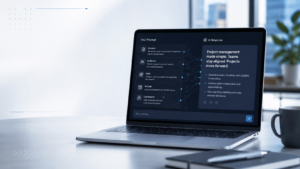

Microsoft Copilot has quickly become one of the most talked-about AI tools in the business world, and for good reason. Whether you’re drafting emails, analyzing spreadsheets, creating presentations, or managing projects, Copilot promises to make everyday work faster and more efficient. But if you’re new to AI-powered productivity tools, you might be wondering: Is Microsoft -copilot really worth it? And more importantly, how does it fit into a business environment? The truth is, many organizations are still figuring that out. Some businesses have embraced AI to streamline repetitive tasks, while others are hesitant because they aren’t sure what Copilot actually does or how it differs from tools like ChatGPT. It’s a fair question. AI is evolving rapidly, and keeping up with every new feature can feel overwhelming.
The good news? You don’t need to be a technology expert to understand Microsoft-Copilot. If you already use Microsoft 365 applications like Word, Excel, Outlook, Teams, or PowerPoint, you’re much closer to using Copilot than you might think. In this beginner’s guide, we’ll explore what Microsoft-Copilot for Business is, how it works, its key features, practical business applications, and why companies are increasingly integrating AI into their daily workflows. We’ll also look at how technology partners like TechniSaur help organizations adopt AI solutions effectively while ensuring security, productivity, and long-term value.
What Is Microsoft Copilot for Business?
Microsoft Copilot for Business is an AI-powered assistant designed to help professionals work more efficiently within the Microsoft ecosystem. Built using advanced large language models and integrated with Microsoft Graph, Copilot can understand your work context, retrieve relevant information, and assist with everyday business tasks. Unlike traditional software that simply follows commands, Copilot understands natural language. Instead of navigating through dozens of menus or searching for the right formula, users can simply ask questions or give instructions in plain English. For example, instead of manually creating a project summary, you might type: “Summarize this week’s Teams meetings and highlight pending action items.” Within seconds, Copilot generates a structured summary using information from your meetings, emails, and documents provided you have the necessary permissions. This conversational approach makes AI far more accessible, especially for employees who may not have advanced technical skills.
How Does Microsoft Copilot Work?
At its core, Microsoft-Copilot combines several technologies to deliver intelligent assistance. First, it uses powerful AI language models that understand prompts written in everyday language. These models analyze what you’re asking and generate relevant responses, whether that’s writing content, summarizing information, or answering questions.
Second, Copilot connects with Microsoft Graph, Microsoft’s data layer that links your emails, calendars, files, chats, meetings, and contacts. Because of this integration, Copilot doesn’t just provide generic answers; it works with your organization’s existing information while respecting user permissions. Imagine you’re preparing for a client meeting. Instead of searching through dozens of emails and documents, you could ask Copilot to:
- Summarize previous conversations with the client.
- List outstanding action items.
- Highlight important deadlines.
- Draft a meeting agenda.
What might normally take half an hour can often be completed in just a few minutes. That’s one reason businesses see Copilot as more than just another chatbot. It’s designed to become part of the everyday workflow rather than a standalone AI application.
Why Businesses Are Paying Attention to Copilot
Productivity has always been a priority for businesses. Every hour spent on repetitive administrative work is time that could have been invested in strategic decision-making, customer service, or innovation. Microsoft-Copilot addresses this challenge by automating routine tasks without requiring employees to learn entirely new software. Businesses are adopting Copilot because it helps employees:
- Spend less time writing repetitive emails.
- Create reports more quickly.
- Analyze large datasets with less manual effort.
- Generate meeting summaries automatically.
- Find information faster across Microsoft 365 applications.
For organizations already invested in Microsoft’s ecosystem, the transition feels natural because Copilot works inside the tools employees already use every day. Technology consulting companies like TechniSaur are also helping organizations implement AI solutions strategically, ensuring businesses maximize productivity while maintaining data security and governance.
Key Features of Microsoft Copilot for Business
Microsoft Copilot offers a wide range of capabilities across different Microsoft applications. While the exact features depend on licensing and subscription plans, several stand out as particularly valuable for businesses.
AI-Powered Content Creation
Writing takes time, especially when employees spend hours drafting emails, proposals, reports, and documentation.
Copilot helps generate first drafts based on simple prompts. Need a professional email explaining a project delay? Or perhaps a proposal outlining next quarter’s objectives? Copilot can create a structured draft that employees can review and refine. This doesn’t eliminate human creativity. Instead, it removes the frustration of starting from a blank page.
Intelligent Document Summaries
Long reports, meeting transcripts, and research documents can be difficult to process. Instead of reading every page manually, Copilot summarizes important points, identifies action items, and highlights critical decisions. For managers juggling multiple projects, this feature alone can save several hours every week.
Smarter Excel Analysis
Excel has always been one of Microsoft’s most powerful applications, but many users never explore its full potential because advanced formulas and data analysis can be intimidating. Copilot changes that. Rather than memorizing complex functions, users can ask questions like:
“Show me the highest-performing sales region over the last six months.”
Or:
“Create a chart comparing quarterly revenue.”
Copilot performs the analysis and generates visualizations without requiring deep spreadsheet expertise. For businesses working with financial reports, inventory management, or customer analytics, this can significantly improve productivity.
Better Meeting Management
Meetings are essential, but they often generate more information than anyone can realistically remember. Copilot helps by automatically summarizing discussions, identifying decisions, and tracking follow-up tasks. Imagine joining a meeting late. Instead of asking colleagues what you’ve missed, Copilot can generate an instant summary, allowing you to catch up quickly. It can also create action lists for participants, making accountability much easier after meetings conclude.
Faster Presentation Creation
Creating presentations is another task that often consumes valuable time. With Copilot integrated into PowerPoint, users can generate presentation outlines, convert Word documents into slides, suggest layouts, and even rewrite content for better clarity. Rather than spending hours formatting slides, employees can focus on refining their message.
Enhanced Communication in Outlook
Email remains one of the busiest communication channels in most organizations. Copilot helps employees write clearer emails, summarize lengthy conversations, and even adjust tone depending on the audience. Need to make an email more professional? More concise? Friendlier? Instead of rewriting everything manually, Copilot provides suggestions almost instantly.
How Microsoft Copilot Improves Daily Workflows
One of the biggest misconceptions about AI is that it only benefits technical teams. In reality, Microsoft Copilot is designed for professionals across departments. Marketing teams can brainstorm campaign ideas and draft content. Sales representatives can prepare customer follow-ups faster. HR professionals can write job descriptions and summarize interview notes. Finance teams can analyze spreadsheets more efficiently. Project managers can organize meeting outcomes and monitor task progress. In other words, Copilot adapts to different business functions rather than serving a single department. This flexibility explains why organizations across industries from healthcare and education to finance and retail are exploring AI-assisted productivity tools.
Microsoft Copilot vs Traditional Productivity Tools
Traditional productivity software depends almost entirely on manual input. Employees search for information, organize documents, write reports, and perform repetitive tasks themselves. Microsoft Copilot introduces a more collaborative way of working. Instead of acting as just another software application, it functions like an intelligent assistant that understands context and helps users complete tasks more efficiently. Rather than replacing employees, Copilot supports them by reducing repetitive work, allowing professionals to focus on activities that require creativity, judgment, and strategic thinking. That shift from doing everything manually to working alongside AI is one of the biggest changes modern workplaces are experiencing.
Benefits of Microsoft Copilot for Business
Businesses don’t invest in AI simply because it’s a popular technology. They invest because they expect measurable improvements in productivity, collaboration, and decision-making. Microsoft Copilot delivers value by helping employees work smarter instead of harder. Here are some of the biggest advantages businesses experience after adopting Copilot.
Saves Valuable Time
Time is one of the most valuable resources in any organization. Employees often spend hours every week answering emails, preparing reports, searching for documents, or summarizing meetings. Copilot automates many of these routine tasks in seconds.
For example, instead of manually reviewing a lengthy meeting transcript, an employee can ask Copilot to summarize the discussion, highlight key decisions, and list action items. What previously took 30 minutes might now take less than five. Those small time savings quickly add up across an entire organization.
Improves Productivity
Productivity isn’t about working longer hours; it’s about getting more done during the time you already have. Because Copilot reduces repetitive administrative work, employees can spend more time solving problems, collaborating with colleagues, and serving customers.
Instead of worrying about formatting documents or searching through email chains, teams can focus on meaningful work that creates business value. This is one reason organizations working with digital transformation partners like TechniSaur often view AI as a productivity tool rather than simply another software purchase.
Helps Employees Make Better Decisions
Businesses generate enormous amounts of information every day. Emails, spreadsheets, reports, meeting notes, and customer conversations all contain valuable insights but finding those insights isn’t always easy. Copilot helps employees quickly access relevant information by summarizing documents, comparing data, and answering natural language questions. Rather than spending hours searching for answers, decision-makers receive useful information almost immediately.
Supports Better Collaboration
Modern teams rarely work in one place. Employees collaborate across different offices, countries, and time zones using Microsoft Teams, Outlook, SharePoint, and OneDrive. Copilot makes collaboration smoother by helping team members stay informed even if they miss meetings or conversations. It can summarize discussions, identify outstanding tasks, and organize information from multiple sources into one clear overview. For distributed teams, this can significantly reduce communication gaps.
Reduces Repetitive Work
Let’s be honest: every job includes tasks that aren’t particularly exciting. Writing repetitive emails. Updating reports. Searching through documents. Formatting presentations. These activities are necessary, but they don’t always require deep expertise. Copilot handles much of this repetitive work, allowing employees to spend more time on creative thinking, strategic planning, and customer engagement.
Real-World Business Use Cases
One of the reasons Microsoft Copilot has gained attention so quickly is its versatility. It isn’t designed for just one department; it supports nearly every business function. Let’s look at how different teams can benefit.
Sales Teams
Sales professionals spend a surprising amount of time on administrative work. Copilot can help them:
- Draft follow-up emails after meetings
- Summarize customer conversations
- Prepare sales proposals
- Organize meeting notes
- Retrieve information from previous client interactions
Instead of spending hours preparing documentation, sales teams can focus on building relationships and closing deals.
Marketing Departments
Marketing teams constantly create content. Whether it’s blog posts, campaign briefs, presentations, or newsletters, content production requires significant effort. Copilot assists marketers by:
- Brainstorming campaign ideas
- Creating first drafts
- Summarizing research
- Rewriting content for different audiences
- Organizing marketing reports
While human creativity remains essential, AI helps eliminate much of the repetitive writing process.
Human Resources
HR professionals manage a wide variety of documents every day. Copilot can support recruitment and employee management by helping draft:
- Job descriptions
- Interview summaries
- Employee onboarding materials
- Internal announcements
- Policy documents
It can also summarize candidate interviews and organize recruitment information more efficiently.
Finance Teams
Finance departments often work with large spreadsheets containing thousands of rows of data. Copilot simplifies analysis by allowing users to ask questions in plain language instead of relying entirely on advanced Excel formulas.
For example:
“Show departments with the highest expenses this quarter.”
Or:
“Compare this month’s revenue with the previous quarter.”
This makes financial reporting much more accessible, even for employees who aren’t Excel experts.
Customer Service
Customer support teams receive similar questions every day. Copilot can help generate responses, summarize customer histories, and organize case information so agents can respond more quickly. Faster responses often translate into better customer experiences.
How Businesses Can Get Started with Microsoft Copilot
Although Copilot is designed to be user-friendly, successful implementation requires planning. Simply purchasing licenses isn’t enough. Businesses should understand where AI will create the greatest impact before rolling it out across the organization. A practical implementation often includes the following steps.
Step 1: Assess Current Workflows
Start by identifying repetitive tasks that consume significant employee time.
These might include:
- Email management
- Meeting documentation
- Report creation
- Data analysis
- Internal communication
These are usually the areas where Copilot provides immediate value.
Step 2: Verify Microsoft 365 Requirements
Microsoft Copilot works within the Microsoft ecosystem, so organizations should ensure they have compatible Microsoft 365 subscriptions and the necessary licensing. It’s also important to confirm that documents, emails, and collaboration tools are properly organized, since Copilot relies on existing organizational data.
Step 3: Train Employees
Even though Copilot understands natural language, employees still benefit from learning how to write effective prompts. For example, instead of asking
“Write something about marketing.”
A more effective prompt would be:
“Write a professional marketing plan for launching a new software product aimed at small businesses.”
The more specific the prompt, the better the output. Organizations working with AI consultants such as TechniSaur often include prompt-writing workshops to help employees use Copilot more effectively.
Step 4: Start Small
Many successful AI implementations begin with a pilot program. Rather than deploying Copilot across every department immediately, businesses often introduce it to one team first. This allows employees to learn the technology, provide feedback, and identify the workflows that benefit most from AI assistance before expanding organization-wide.
Microsoft Copilot Pricing and Licensing
One of the first questions businesses ask is, “How much does Microsoft-Copilot cost?” The answer depends on the specific Microsoft subscription and licensing model being used. Microsoft offers different Copilot plans for individual users, businesses, and enterprises, with features varying based on the subscription. While licensing represents an upfront investment, organizations should evaluate cost alongside potential productivity gains. If Copilot saves each employee even a few hours every week, the long-term return on investment can be substantial. Businesses should also consider implementation costs, employee training, and governance policies when planning adoption. Technology partners like TechniSaur often help organizations evaluate licensing options and develop an AI adoption strategy that aligns with both operational needs and budget.
Is Microsoft Copilot Secure for Business?
Security is one of the biggest concerns whenever businesses adopt AI. After all, employees work with confidential emails, customer information, financial reports, and internal documents every day. Microsoft has designed Copilot with enterprise security in mind. Organizations planning to deploy Copilot at scale should also understand Microsoft 365 security, compliance, permissions, and governance before implementation. Businesses looking to build these skills can benefit from Microsoft 365 Copilot security and compliance training. It follows existing Microsoft 365 permissions, meaning employees only receive information they already have permission to access. If someone cannot open a particular document manually, Copilot won’t reveal its contents either. Microsoft also applies enterprise-grade security, compliance, and privacy controls to help organizations maintain data protection standards. That said, businesses still need clear governance policies. Employees should understand what types of information can be shared with AI tools, how prompts should be written, and which internal security policies remain in place. Technology partners like TechniSaur frequently assist organizations in creating responsible AI governance frameworks that balance productivity with security.
Best Practices for Using Microsoft Copilot Effectively
Like any productivity tool, Microsoft-Copilot delivers the best results when it’s used thoughtfully. While the AI is capable of generating impressive responses, the quality of its output often depends on how users interact with it. Here are a few best practices businesses should keep in mind.
Write Clear and Specific Prompts
Copilot performs best when instructions are detailed.
Instead of writing:
“Create a report.”
Try something like:
“Create a one-page sales report summarizing this month’s performance, highlighting revenue growth, top-performing products, and recommendations for next month.”
The more context you provide, the more useful the response is likely to be.
Review AI-Generated Content
Although Copilot is highly capable, it isn’t infallible. AI-generated emails, reports, presentations, and summaries should always be reviewed before being shared externally. Checking for accuracy, tone, and context ensures the final output aligns with your organization’s standards. Think of Copilot as a highly efficient assistant rather than a replacement for human judgment.
Protect Sensitive Information
Businesses should establish clear guidelines about how employees use AI. While Microsoft-Copilot follows Microsoft 365 security and permission settings, organizations should still educate staff on handling confidential information responsibly and following internal compliance policies. Responsible AI adoption combines strong technology with smart governance.
Encourage Continuous Learning
Microsoft regularly introduces new Copilot features and improvements. Encouraging employees to stay updated through training sessions, workshops, or internal knowledge-sharing helps teams make the most of new capabilities as they become available. Organizations that invest in ongoing AI education often see greater long-term value from their technology investments.
Common Mistakes Businesses Should Avoid
Adopting Microsoft Copilot can transform workplace productivity, but success depends on using it wisely. Here are a few common mistakes that organizations should avoid.
Expecting AI to Replace Employees
One of the biggest misconceptions surrounding AI is that it eliminates the need for human workers. In reality, Microsoft-Copilot is designed to support employees not replace them. It handles repetitive, time-consuming tasks so professionals can focus on strategic thinking, creativity, relationship building, and decision-making. The businesses seeing the greatest success view Copilot as a productivity partner rather than a substitute for human expertise.
Skipping Employee Training
Because Copilot uses natural language, it’s easy to assume that no training is required. However, employees who understand prompt writing, AI limitations, and best practices typically achieve much better results than those who simply experiment without guidance. Even short training sessions can significantly improve adoption and user confidence.
Relying on AI Without Verification
AI can summarize information, generate content, and analyze data quickly but it can still make mistakes or misunderstand context. Important documents, financial reports, legal communications, and customer-facing materials should always be reviewed before they’re finalized. Human oversight remains essential.
Ignoring Change Management
Technology adoption isn’t only about software. Employees need time to adjust to new workflows and understand how AI fits into their daily responsibilities. Organizations that communicate clearly, gather employee feedback, and introduce Copilot gradually often experience smoother adoption than those that implement it overnight. Technology partners such as TechniSaur frequently support businesses through this transition by helping develop AI adoption strategies, employee training programs, and governance frameworks that encourage long-term success.
The Future of Microsoft Copilot in Business
Artificial intelligence is changing the way people work, and Microsoft-Copilot is likely to become an even bigger part of that transformation. As AI models continue to improve, Copilot will likely become more context-aware, more accurate, and capable of handling increasingly complex business tasks. Future developments may include:
- More advanced workflow automation
- Improved data analysis capabilities
- Deeper integration across Microsoft applications
- Enhanced collaboration features
- Smarter decision-support tools
- Industry-specific AI capabilities for sectors like healthcare, finance, manufacturing, and education
Businesses that begin exploring AI today will likely be better prepared for these future developments. Rather than replacing existing workflows overnight, organizations can gradually integrate AI into everyday operations while building employee confidence and establishing responsible governance.
Should Your Business Use Microsoft Copilot?
The answer depends on your organization’s goals, workflows, and existing technology ecosystem. If your business already relies heavily on Microsoft 365, Copilot can be a natural extension of the tools your employees use every day. It reduces repetitive work, improves collaboration, speeds up document creation, and helps employees access information more efficiently.
For smaller organizations, the decision may depend on budget and immediate business priorities. However, as companies grow and information becomes increasingly difficult to manage manually, AI-assisted productivity tools become far more valuable. Businesses should evaluate potential benefits based on factors such as:
- Time saved on repetitive tasks
- Employee productivity improvements
- Collaboration efficiency
- Data accessibility
- Long-term return on investment
- Security and compliance requirements
Working with experienced implementation partners like TechniSaur can also help organizations adopt AI strategically, ensuring they maximize productivity while maintaining security, governance, and compliance standards.
Final Thoughts
Successful Microsoft-Copilot adoption involves more than purchasing licenses. It also requires employee training, security planning, and governance. Organizations preparing for deployment can strengthen these areas through Microsoft 365 Copilot security and compliance training. Microsoft Copilot for Business represents more than just another AI tool it signals a new way of working. Instead of spending valuable hours on repetitive administrative tasks, employees can focus on solving problems, collaborating with colleagues, and delivering greater value to customers. From drafting emails and summarizing meetings to analyzing spreadsheets and creating presentations, Copilot helps simplify many of the everyday responsibilities that consume valuable working hours. Because it integrates directly into familiar Microsoft 365 applications, employees don’t need to completely change the way they work to start benefiting from AI. Human expertise remains essential for reviewing outputs, making strategic decisions, and providing the judgment that AI cannot replace. As artificial intelligence continues to evolve, organizations that embrace tools like Microsoft-Copilot will likely be better positioned to improve efficiency, support innovation, and remain competitive in an increasingly digital workplace. The future of business isn’t about choosing between humans and AI; it’s about enabling both to work together more effectively.
Frequently Asked Questions (FAQ)
1. What is Microsoft Copilot for Business?
Microsoft Copilot for Business is an AI-powered assistant integrated into Microsoft 365 applications such as Word, Excel, Outlook, PowerPoint, and Teams. It helps employees write content, analyze data, summarize meetings, automate repetitive tasks, and improve overall workplace productivity using natural language prompts.
2. Is Microsoft Copilot the same as ChatGPT?
No. While both use advanced AI language models, Microsoft Copilot is built specifically for productivity within the Microsoft ecosystem. It integrates with Microsoft Graph to access your organization’s emails, documents, calendars, and meetings while respecting existing user permissions. ChatGPT is a more general-purpose AI assistant that isn’t inherently connected to your business data.
3. Which Microsoft applications work with Copilot?
Microsoft Copilot integrates with several Microsoft 365 applications, including:
Microsoft Word
Microsoft Excel
Microsoft PowerPoint
Microsoft Outlook
Microsoft Teams
Microsoft OneNote
Microsoft Loop and other supported Microsoft services
Available features may vary depending on your Microsoft 365 subscription and licensing plan.
4. Is Microsoft Copilot secure for businesses?
Yes. Microsoft Copilot is built with enterprise-grade security, compliance, and privacy features. It follows your organization’s existing Microsoft 365 permissions, meaning users can only access information they are already authorized to view. Businesses should still establish AI governance policies and educate employees on the responsible use of AI.
5. Is Microsoft Copilot worth it for small businesses?
For many small businesses, Microsoft Copilot can provide significant value by reducing administrative work, improving productivity, and helping employees complete everyday tasks more efficiently. Whether it’s worth the investment depends on factors such as team size, Microsoft 365 usage, budget, and how much repetitive work employees handle on a daily basis. As businesses grow, Copilot’s productivity benefits often become even more noticeable.