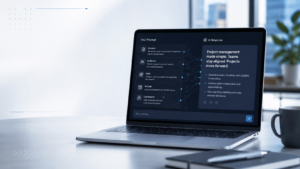

Artificial intelligence is transforming the way modern organizations work. From automating repetitive tasks to helping employees make faster decisions, AI assistants are becoming an essential part of the digital workplace. Institutes like Technisaur are making it easier for students who want to learn it. Among the leading workplace AI solutions, Microsoft Copilot stands out because it is designed specifically for organizations already using Microsoft 365. Instead of functioning as a separate chatbot, Copilot works directly within applications employees use every day, including Word, Excel, Outlook, Teams, and PowerPoint. For businesses, improving productivity is no longer just about working faster. It is about helping employees focus on higher-value tasks, reducing administrative workload, improving collaboration, and making better use of company information.
Microsoft Copilot helps achieve this by bringing AI-powered assistance directly into existing workflows. But how exactly does Microsoft Copilot improve workplace productivity? In this guide, we will explore how Microsoft Copilot helps businesses save time, improve collaboration, automate tasks, enhance decision-making, and create a more efficient workplace.
What Is Microsoft Copilot?
Microsoft Copilot is an AI-powered assistant integrated into Microsoft 365 applications. It uses advanced AI models combined with Microsoft Graph to help users interact with their workplace data more effectively. Unlike traditional productivity tools, Copilot understands the context of an organization’s digital environment, including emails, documents, meetings, calendars, and files that users already have permission to access. For example, instead of manually searching through hundreds of emails before a meeting, an employee can ask Copilot to summarize previous discussions, identify important updates, and prepare key talking points. Microsoft Copilot can assist with tasks such as:
- Writing and editing documents
- Summarizing meetings
- Drafting emails
- Creating presentations
- Analyzing business data
- Generating reports
- Finding information across Microsoft 365
- Automating repetitive workplace activities
For organizations planning to adopt Copilot successfully, understanding Microsoft 365 administration, security, and AI implementation is essential. Professionals can build these foundational skills through TechniSaur’s Prepare Security and Compliance to Support Microsoft 365 Copilot course. Proper preparation helps businesses maximize productivity while maintaining control over their data environment.
Why Workplace Productivity Matters in the AI Era
Modern workplaces generate enormous amounts of information every day. Employees manage:
- Hundreds of emails
- Multiple meetings
- Large documents
- Complex spreadsheets
- Team communication channels
- Business reports
While digital tools have improved connectivity, they have also created information overload. Employees often spend significant time searching for information, organizing data, preparing documents, and completing repetitive administrative tasks. This is where AI-powered tools like Microsoft Copilot provide value.
Instead of replacing employees, Copilot acts as an intelligent assistant that helps people complete everyday tasks more efficiently. The goal is simple: Less time spent on repetitive work. More time focused on creativity, strategy, and decision-making.
1. Faster Document Creation with Microsoft Copilot in Word
Creating professional documents can require significant time and effort. Whether employees are preparing reports, proposals, policies, or business plans, Microsoft Word users often spend hours organizing information and improving the quality of their content. Microsoft Copilot helps reduce this workload by assisting throughout the writing process. Users can ask Copilot to:
- Create a first draft from a simple idea
- Rewrite content in a different tone
- Summarize long documents
- Improve grammar and readability
- Convert notes into structured content
For example, a project manager can provide Copilot with basic project details and ask it to create a project update report. Instead of starting from a blank page, employees receive a structured draft that they can review, edit, and customize. This improves productivity by reducing the time required for routine writing tasks while allowing employees to focus on improving the outcome.
2. Smarter Email Management with Copilot in Outlook
Email remains one of the biggest productivity challenges in modern workplaces. Employees often spend hours reading long email threads, searching for important information, and writing responses.
Microsoft Copilot helps simplify email management by providing AI-powered assistance inside Outlook. Users can:
- Summarize lengthy email conversations
- Identify key points and decisions
- Draft professional replies
- Adjust email tone and length
- Quickly understand previous discussions
For example, before responding to a customer request, an employee can ask Copilot to summarize the previous communication history and highlight unresolved issues. This reduces time spent managing emails and helps employees respond more effectively.
3. Improving Meetings with Microsoft Teams Copilot
Meetings are essential for collaboration, but they can also become a major productivity challenge. Employees often struggle with:
- Keeping track of discussions
- Remembering decisions
- Following up on action items
- Reviewing missed meetings
Microsoft Copilot in Teams helps make meetings more productive by providing AI-powered support. Copilot can help users:
- Summarize conversations
- Identify important decisions
- Generate action items
- Highlight unanswered questions
- Provide meeting recaps
For employees who cannot attend a meeting, Copilot makes it easier to understand what happened without having to watch the entire recording. This improves collaboration across teams, especially in remote and hybrid work environments.
4. Better Data Analysis with Copilot in Excel
Data-driven decision-making is becoming increasingly important for businesses. However, analyzing spreadsheets can be challenging for employees who may not have advanced data skills. Microsoft Copilot in Excel helps users understand data more easily by providing AI-powered analysis. Employees can ask Copilot to:
- Identify trends
- Summarize information
- Explain data patterns
- Create formulas
- Generate insights
For example, a sales manager can ask the following: “Which products performed best this quarter, and what trends should we focus on?” Copilot can analyze the available spreadsheet data and provide useful insights. This allows employees to make faster decisions without spending excessive time manually reviewing information.
5. Creating Presentations Faster with PowerPoint Copilot
Building professional presentations often requires significant preparation. Employees need to:
- Organize information
- Design slides
- Create visual structure
- Summarize key points
Microsoft Copilot in PowerPoint helps simplify this process. Users can provide a document or idea, and Copilot can help create:
- Presentation outlines
- Slide content
- Speaker notes
- Professional structures
For example, a business leader can provide a project report and ask Copilot to transform it into a presentation for stakeholders. This reduces preparation time while maintaining professional quality.
6. Improving Collaboration Across Teams
Effective collaboration is one of the biggest challenges for modern organizations, especially with remote and hybrid work becoming common. Employees often work across multiple platforms, communicate through different channels, and manage information stored in various locations. This can make it difficult to find important updates and keep everyone aligned. Microsoft Copilot improves collaboration by connecting workplace information across Microsoft 365 applications.
With Copilot, employees can:
- Quickly find relevant information
- Summarize conversations
- Understand project updates
- Prepare meeting materials
- Create shared documents faster
For example, a team member joining an ongoing project can ask Copilot to summarize previous discussions, review important documents, and understand current priorities. Instead of spending hours searching through emails, Teams messages, and files, employees can quickly gain the context they need. This helps teams make faster decisions and reduces delays caused by information gaps.
7. Automating Repetitive Workplace Tasks
Many workplace activities are necessary but time-consuming. Employees regularly spend hours on tasks such as:
- Writing routine emails
- Creating meeting summaries
- Formatting documents
- Preparing reports
- Organizing information
Microsoft Copilot helps automate many of these repetitive activities. For example: A manager can ask Copilot to create a summary of weekly team updates. A sales professional can use Copilot to prepare follow-up emails after customer meetings. An HR professional can use Copilot to organize employee feedback into structured reports. By reducing manual work, employees can spend more time on tasks that require creativity, problem-solving, and human decision-making. This is one of the biggest reasons organizations are adopting AI-powered productivity tools.
8. Enhancing Decision-Making with Business Insights
Good decisions depend on having access to accurate information at the right time. However, many organizations struggle because important information is spread across:
- Emails
- Documents
- Meetings
- Reports
- Business applications
Microsoft Copilot helps employees access and understand information more efficiently. Because Copilot works with Microsoft Graph, it can provide insights based on the data users already have permission to access. For example, a business leader can ask: “What are the main challenges discussed by the sales team this month?” Instead of manually reviewing multiple conversations and reports, Copilot can help identify key themes and information. This allows leaders to make faster, more informed decisions.
9. Supporting Remote and Hybrid Work
Remote work has changed how organizations communicate and collaborate. Teams are often distributed across different locations and time zones, making it harder to maintain alignment. Microsoft Copilot supports hybrid workplaces by helping employees stay connected. Examples include:
- Summarizing missed meetings
- Preparing updates for team members
- Organizing project information
- Creating collaborative documents
- Finding important conversations
For global organizations, this reduces communication barriers and helps employees remain productive regardless of location.
10. Improving Employee Efficiency Through Personalized Assistance
One of the biggest advantages of Microsoft Copilot is that it works as a personalized AI assistant. Different employees can use Copilot according to their specific roles.
Managers can use Copilot to:
- Prepare reports
- Summarize team updates
- Create presentations
- Analyze business information
Sales teams can use Copilot to:
- Prepare customer communication
- Summarize client interactions
- Create proposals
HR teams can use Copilot to:
- Organize employee information
- Draft internal communication
- Prepare documentation
IT teams can use Copilot to:
- Improve documentation
- Analyze technical information
- Support users
This flexibility makes Copilot valuable across different departments.
Security and Compliance Considerations for Microsoft Copilot Adoption
While Microsoft Copilot provides significant productivity benefits, organizations must carefully consider security and compliance before deployment. AI tools work with business information, making proper governance essential. Microsoft Copilot is designed to follow existing Microsoft 365 security controls, including the following:
- User permissions
- Data access policies
- Compliance settings
- Information protection controls
If a user does not have access to specific information, Copilot does not provide access to that information. However, organizations should still prepare their Microsoft 365 environment before enabling Copilot. Administrators should review:
- Data sharing permissions
- Microsoft 365 security settings
- User access policies
- Compliance requirements
Businesses preparing for Copilot deployment can benefit from TechniSaur’s Prepare Security and Compliance to Support Microsoft 365 Copilot course, which helps administrators understand governance, compliance, security controls, and deployment readiness. , which helps administrators understand the security, governance, and compliance requirements needed for successful AI adoption.
Why Microsoft 365 Administrators Should Learn Microsoft Copilot
As organizations continue adopting AI, Microsoft 365 administrators will play an important role in managing successful Copilot implementation. Administrators are responsible for ensuring:
- Secure deployment
- Proper user access
- Policy management
- Employee readiness
- Effective adoption
A practical way to build these skills is through TechniSaur’s Prepare Security and Compliance to Support Microsoft 365 Copilot course, which focuses on deployment readiness, governance, and security best practices. For IT professionals working with Microsoft environments. Microsoft 365 administrators who develop Copilot expertise can help organizations:
- Improve workplace productivity
- Reduce security risks
- Create AI adoption strategies
- Support employees effectively
Professionals looking to strengthen their Microsoft ecosystem knowledge can explore Microsoft Office 365 training to build a stronger foundation in Microsoft administration, collaboration tools, and productivity solutions.
Best Practices for Successful Microsoft Copilot Adoption
Implementing Copilot successfully requires more than purchasing licenses. Organizations should follow a structured approach.
1. Prepare Your Microsoft 365 Environment
Before deployment, administrators should review:
- Existing permissions
- Data organization
- Security settings
- Compliance requirements
A clean and well-managed Microsoft environment leads to better AI results. Organizations looking for structured guidance can follow TechniSaur’s Prepare Security and Compliance to Support Microsoft 365 Copilot training to learn how to configure Microsoft 365 for secure and compliant AI adoption.
2. Train Employees on Effective AI Usage
AI productivity depends on how users interact with the technology. Employees should understand:
- How to write effective prompts
- How to review AI-generated responses
- When to verify information
- How to protect sensitive data
Training helps employees use Copilot confidently and responsibly.
3. Start With a Pilot Deployment
Organizations should avoid immediately rolling out Copilot to every employee.
A pilot program allows businesses to:
- Test workflows
- Identify challenges
- Collect feedback
- Improve training strategies
After successful testing, organizations can expand adoption.
4. Create AI Governance Policies
Businesses should establish clear guidelines for AI usage. Policies may include:
- Acceptable AI usage
- Data protection rules
- Employee responsibilities
- Review processes
Strong governance ensures AI improves productivity without creating unnecessary risks.
Microsoft Copilot and the Future of Workplace Productivity
The future workplace will increasingly combine human expertise with artificial intelligence. AI assistants like Microsoft Copilot will continue evolving from simple productivity tools into intelligent workplace partners. Future improvements may include:
- More advanced automation
- Smarter business insights
- Improved workflow management
- Greater personalization
- AI-powered decision support
Organizations that successfully adopt AI early will have a competitive advantage by improving efficiency and enabling employees to focus on higher-value work. Microsoft Copilot represents a major step toward this future by bringing AI directly into the applications businesses already use every day.
How Microsoft Copilot Improves Workplace Productivity
Microsoft Copilot improves workplace productivity by reducing repetitive tasks, improving collaboration, simplifying information management, and helping employees make faster decisions. Its biggest advantage is its deep integration with Microsoft 365. Unlike standalone AI tools, Copilot works directly within:
- Word
- Excel
- Outlook
- Teams
- PowerPoint
This allows employees to use AI without changing their existing workflows. For organizations already using Microsoft 365, Copilot provides a practical way to introduce AI into daily operations while maintaining security and governance. However, successful adoption requires proper planning, employee training, and administrator knowledge. Organizations that invest in Microsoft Copilot skills today will be better prepared for the future of AI-powered work.
Conclusion
Microsoft Copilot is changing how organizations approach workplace productivity. By combining artificial intelligence with Microsoft 365 applications, Copilot helps employees work smarter, collaborate better, and complete tasks faster. For businesses looking to successfully adopt AI, investing in Microsoft Copilot knowledge and training is an important step toward building a more efficient and future-ready workplace. TechniSaur provides Microsoft-focused training solutions designed to help professionals develop the skills needed to manage Microsoft technologies, support AI adoption, and prepare organizations for the future of work.
Frequently Asked Questions (FAQs)
1. How does Microsoft Copilot improve workplace productivity?
Microsoft Copilot improves productivity by automating repetitive tasks, helping employees create content faster, summarizing information, analyzing data, and improving collaboration across Microsoft 365 applications.
2. What Microsoft applications work with Copilot?
Microsoft Copilot integrates with applications, including:
Word
Excel
PowerPoint
Outlook
Teams
OneDrive
SharePoint
3. Can Microsoft Copilot replace employees?
No. Microsoft Copilot is designed to support employees by reducing repetitive work and helping them complete tasks more efficiently. Human decision-making and expertise remain essential.
4. Is Microsoft Copilot secure for businesses?
Yes. Microsoft Copilot follows Microsoft 365 security and permission models. Organizations should still review their security settings and prepare their environment before deployment.
5. Do employees need technical skills to use Microsoft Copilot?
No. Copilot is designed for everyday users. However, training helps employees create better prompts and use AI more effectively.
6. Why should Microsoft 365 administrators learn Copilot?
Microsoft 365 administrators need Copilot knowledge to manage deployment, security, governance, and successful AI adoption within organizations.
7. How can businesses prepare for Microsoft Copilot adoption?
Businesses should review security settings, train employees, create AI policies, and ensure administrators understand Microsoft Copilot implementation requirements.