Description
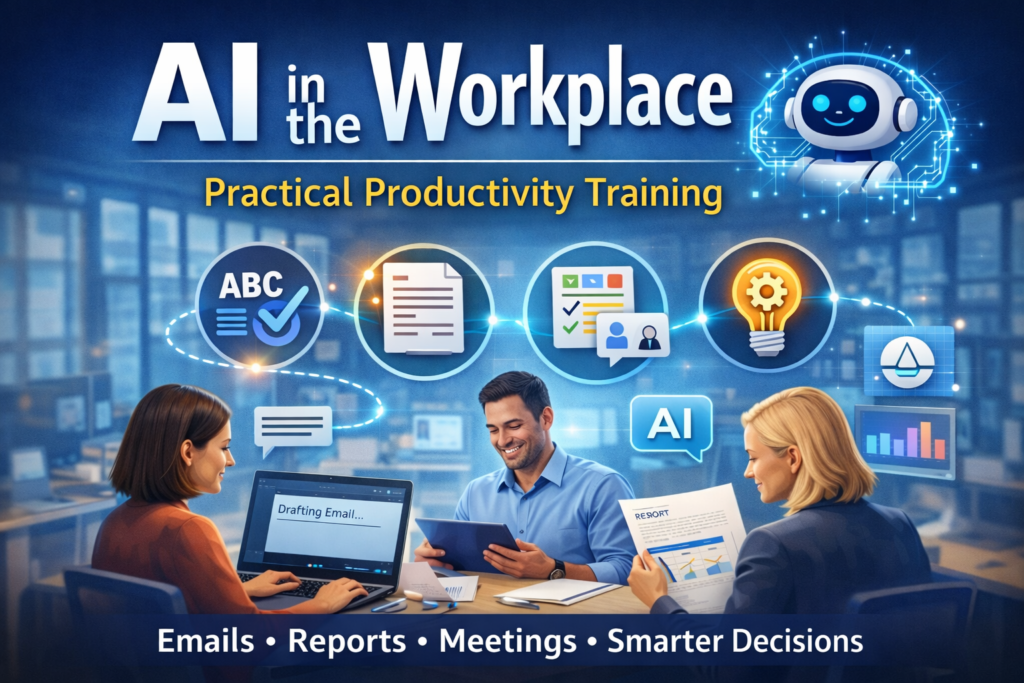
AI in the Workplace is a practical, hands-on training that helps employees and teams use AI confidently, responsibly, and effectively in their everyday work.
From spell check and grammar suggestions to modern AI assistants like Microsoft Copilot, participants learn how to apply AI to real workplace tasks — including emails, reports, meetings, and decision-making — to work smarter and faster.
The focus is not on coding or theory, but on practical tips, workflows, and best practices that save time, improve output quality, and give participants a genuine edge at work.
You’ll gain real-world skills in:
-
Using AI to write clearer emails, documents, and reports
-
Summarising meetings, documents, and data faster
-
Improving productivity with AI-powered workflows
-
Writing effective prompts to get better AI results
-
Validating AI outputs and avoiding common mistakes
-
Using AI responsibly within organisational policies
Audience Profile
This course is ideal for:
-
Office and knowledge workers
-
Managers and team leaders
-
HR, finance, admin, operations, and support staff
-
Business professionals with no technical background
-
Organisations rolling out AI or Microsoft Copilot
No coding or IT experience required.
Prerequisites
To get the most from this course, participants should:
-
Be comfortable using a computer and common workplace software
-
Have basic experience with tools like email, documents, and spreadsheets
-
No prior AI knowledge required
⚠️ This course is specifically designed for non-technical users.
Course Highlights
1. AI Basics for the Workplace
-
What AI really is (and isn’t)
-
Everyday AI examples you already use (spell check, auto-suggestions, summaries)
-
Where AI adds the most value at work
2. Writing Better with AI
-
Drafting emails, reports, and documents faster
-
Improving clarity, tone, and structure
-
Editing and rewriting content using AI
3. Smarter Meetings & Information Handling
-
Summarising meetings and action items
-
Extracting key points from long documents
-
Turning notes into polished outputs
4. Prompting Made Simple
-
How to ask AI the right way
-
Prompt structures that get better results
-
Common mistakes and how to avoid them
5. Responsible & Safe AI Usage
-
What you should and shouldn’t share with AI
-
Data privacy, confidentiality, and validation
-
Using AI ethically and responsibly at work
6. AI Productivity Tips & Use Cases
-
Role-based AI examples (admin, managers, teams)
-
Daily workflows that save time
-
Building confidence using AI independently
Onsite & Corporate Training
Have a team of 3 or more? We offer customised onsite or virtual training:
-
Tailored examples for your organisation
-
Aligned with your tools and policies
-
Delivered in a familiar work environment
-
Ideal for company-wide AI adoption
Cancellation Policy
To cancel or reschedule, please contact us 10 days before the scheduled course date.
Contact Information
TechniSaur
Melbourne VIC, Australia
📞 1300-00-TECH
✉️fusman@technisaur.com.au
FAQs – AI in the Workplace Training
Q1: Do I need technical or coding skills?
No. This course is designed specifically for non-technical users.
Q2: Is this course about ChatGPT only?
No. We focus on practical workplace AI concepts and tools, including Microsoft Copilot and everyday AI use cases.
Q3: Will I receive a certificate?
Yes. Participants receive a TechniSaur Certificate of Completion.
Q4: Is this suitable for managers and teams?
Absolutely. The course is ideal for individuals, teams, and managers.
Q5: Can this training be customised for our organisation?
Yes. We offer fully customised corporate training aligned with your business needs.

Reviews
There are no reviews yet.